
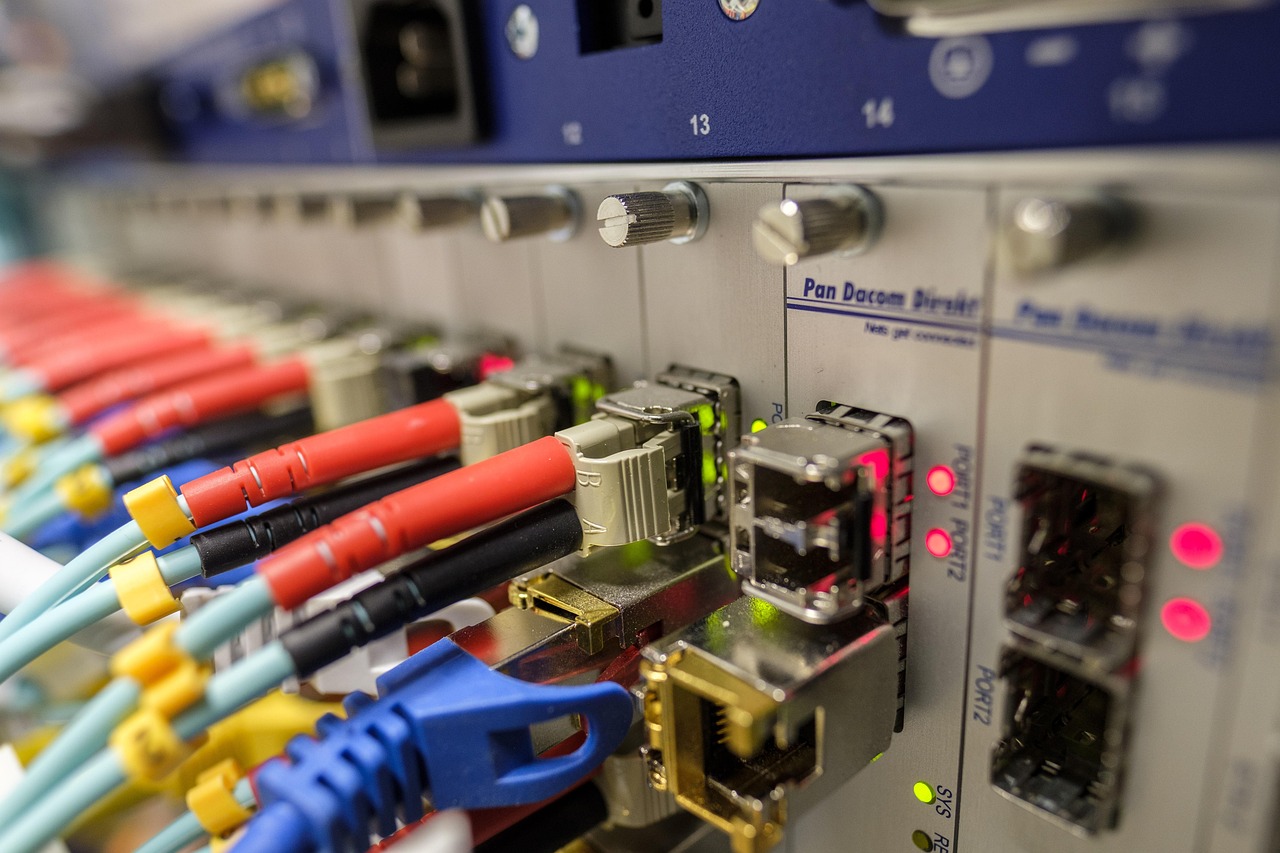
Fiber optic cables have become the backbone of modern communication systems, powering everything from high-speed internet to enterprise networks, data centres, surveillance systems, and smart infrastructure. Their ability to transmit data at incredible speeds, over long distances, with minimal signal loss makes them a preferred choice over traditional copper cables.
However, the performance and lifespan of fiber optic systems depend heavily on how well the cables are installed. Even the smallest mistake can weaken the signal, create performance bottlenecks, or damage the cable permanently. Whether you’re a technician, contractor, or network planner, avoiding installation errors is crucial for ensuring an efficient, reliable fiber network.
Below are 10 critical mistakes you must avoid when installing fiber optic cables along with guidance on best practices to maintain optimal performance.
- Ignoring Bend Radius Recommendations
One of the most common yet serious mistakes is bending fiber optic cables beyond their allowable bend radius. Unlike copper cables, fiber contains delicate glass strands that can crack or break when bent too tightly.
Why it’s a problem:
- Causes signal loss (attenuation)
- Leads to broken fibers
- Reduces cable lifespan
Best practice:
Always follow the manufacturer’s minimum bend radius guidelines, typically 10x the cable’s diameter for static installations and 15x for dynamic bends.
- Pulling the Cable Too Hard
During installation, technicians may pull cables through conduits with excessive force. Fiber optic cables have strength members, but they are not designed for rough handling.
Why it’s a problem:
- Excessive pulling pressure can stretch the fibers
- Leads to fractures and micro-cracks
- Causes performance drops
Best practice:
Use a pulling lubricant where allowed, follow tension guidelines, and choose proper pulling equipment designed for fiber.
- Failing to Clean Connectors Properly
Dirty, dusty, or oily connectors are among the top reasons fiber networks underperform. Even microscopic particles can block laser light transmission.
Why it’s a problem:
- Creates insertion loss
- Causes signal reflection
- Leads to intermittent connectivity issues
Best practice:
Use proper connector cleaning tools such as lint-free wipes, isopropyl alcohol, cassette cleaners, and inspection scopes.
- Using the Wrong Fiber Type
Installing single-mode fiber where multimode fiber is required, or vice versa, can cause significant compatibility issues. Each type has specific uses and distance limitations.
Why it’s a problem:
- Mismatched connectors
- Poor performance or complete failure
- Increased maintenance costs
Best practice:
Verify fiber type before installation and match it with the correct connectors, transceivers, and network equipment.
- Overlooking Proper Cable Routing
Poor planning in cable routing increases the risk of physical damage, signal interference, and difficult future maintenance.
Why it’s a problem:
- Cable crushing or pinching
- Exposure to moisture or chemicals
- Difficult service access
Best practice:
Plan routes that avoid:
- Sharp edges
- High-traffic areas
- Electrical equipment
- Water pipes
Use proper cable trays and conduits for added protection.
- Not Using the Right Tools and Equipment
Fiber optic installation requires specialised tools. Many issues arise when installers use copper-cable tools or makeshift equipment.
Why it’s a problem:
- Poor splicing
- Improper connector termination
- Damaged cables
Best practice:
Use:
- Fusion splicers
- Precision cleavers
- Fiber strippers
- OTDR test equipment
- Power meters and light sources
Quality installation depends on quality tools.
- Skipping Cable Testing and Documentation
Some installers finish the installation but skip critical testing procedures such as OTDR testing or power loss measurement.
Why it’s a problem:
- Faults remain undetected
- Troubleshooting becomes difficult
- Network performance suffers
Best practice:
Perform:
- OTDR trace tests
- Insertion loss tests
- Continuity checks
Document results for future maintenance and certifications.
- Allowing Moisture to Enter the Cable Path
Moisture is one of the most harmful elements for fiber optic cables, especially in outdoor or underground installations.
Why it’s a problem:
- Corrosion of connectors
- Infiltration into loose-tube cables
- Signal attenuation and fiber degradation
Best practice:
Ensure proper sealing using:
- Gel-filled cables
- Waterproof enclosures
- Weather-rated conduits
Avoid leaving outdoor connections exposed.
- Neglecting to Label and Organise Cables
Unlabelled fiber optic cables create massive confusion during maintenance, repairs, or upgrades.
Why it’s a problem:
- Difficult troubleshooting
- Higher risk of accidental disconnects
- Time-consuming maintenance
Best practice:
Use durable labels for:
- Cable bundles
- Patch panels
- Fiber trays
- Splice enclosures
Clear labelling saves hours of future work.
- Improper Splicing Techniques
Poor splicing, whether mechanical or fusion, can weaken the entire fiber network. This is often due to lack of training or using outdated equipment.
Why it’s a problem:
- High insertion loss
- Back reflection issues
- Weak joints prone to breakage
Best practice:
- Always use a fusion splicer for best-quality splices
- Ensure fibers are clean and cleaved accurately
- Protect splices using splice sleeves and secure trays
Good splicing ensures long-term network reliability.
Final Thoughts
Fiber optic cable installation requires precision, planning, and proper handling. Avoiding common mistakes like overstressing the cable, ignoring bend radius rules, skipping testing, or using the wrong equipment can significantly improve network performance and reduce costly repairs.
By following best installation practices, technicians ensure that fiber optic networks deliver:
- Higher speeds
- Lower signal loss
- Longer service life
- Reduced maintenance
Whether you’re setting up a home fiber connection, upgrading a commercial network, or deploying large-scale infrastructure, understanding what not to do is just as important as knowing the right installation techniques.